

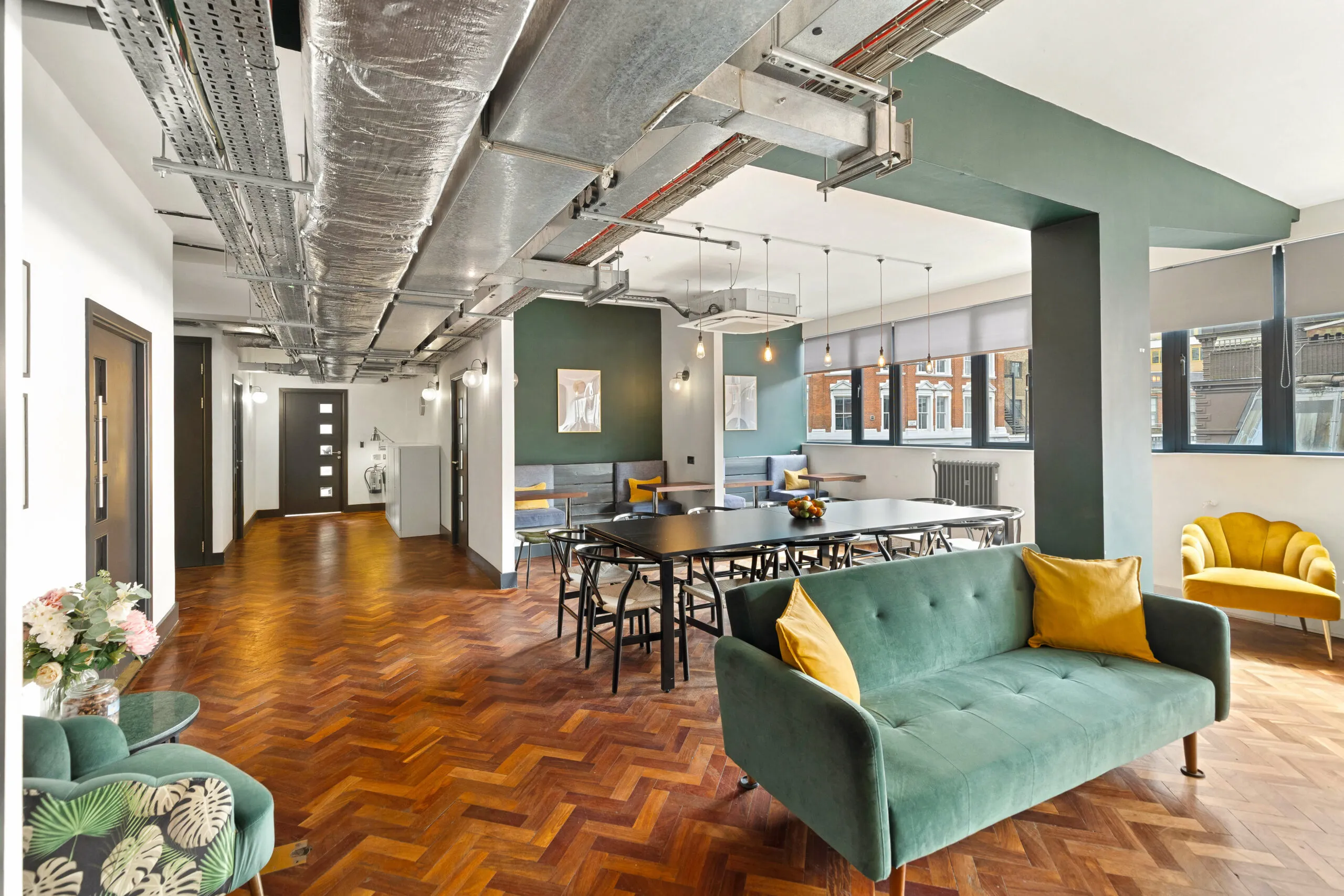
A serviced office is designed to remove much of the setup and day-to-day property management that comes with occupying a conventional office. But that does not mean every facility you see in the building is automatically covered by the monthly price.
The exact package varies between providers, buildings and individual agreements. Furniture and internet may form part of the workspace fee, while meeting rooms, parking or printing may be handled separately.
The useful way to compare serviced offices is to ask three questions: what comes with your private office, what is shared across the building, and what could create an additional charge?
The Quick Answer: What Is Usually Included?
Serviced-office packages typically combine a workspace with a range of building services, although the exact inclusions vary by provider and agreement.
Depending on the office, these may include:
- office furniture
- internet connectivity
- utilities such as electricity and heating
- building maintenance
- cleaning of shared areas
- access and security systems
- kitchens or communal areas
- reception or on-site management
- meeting or breakout facilities
The exact combination will depend on the building and agreement. A facility can also be available without being included for unlimited use.
A useful way to compare the package is:
| Part of the workspace | What you may find | What to confirm |
| Private office | Desks, chairs, storage, connectivity | Exactly what furniture and equipment remain |
| Building services | Utilities, maintenance, cleaning, access | Which services are covered by your fee |
| Shared facilities | Kitchens, lounges, meeting rooms | Whether use is included, limited or chargeable |
| Additional services | Printing, parking, IT support, fit-out | Availability and any separate costs |
Ask for the inclusions in writing. It is much easier to compare two offices when you know what each quoted price actually covers.
Start With What Is Inside Your Private Office
The most immediate part of a serviced-office package is the room or suite your team will occupy.
Furniture and Day-One Setup
Many serviced offices are supplied furnished, which can reduce the amount of equipment you need to organise before moving in. Depending on the space, that may include desks, chairs and storage.
Do not stop at asking whether the office is furnished. Check what will physically remain when your agreement starts and whether the layout can be changed.
Useful questions include:
- How many workstations are provided?
- Can desks and chairs be rearranged?
- Is storage included?
- Are monitors or other equipment supplied?
- Can you bring in your own furniture?
- Is there scope to add branding or change the layout?
If you are assessing the space itself, our guide to what every office or studio should have covers practical workspace features beyond simple desk capacity.
Furniture supplied by a workspace provider also does not remove an employer’s responsibilities towards its staff. The Health and Safety Executive says employers whose staff are covered by the Display Screen Equipment Regulations must carry out a DSE workstation assessment, considering furniture, equipment and working conditions.
Internet and Connectivity
Internet is a common feature of serviced offices, but “internet included” is not detailed enough for many businesses.
Before you move in, ask about:
- connection speed
- wired and wireless options
- how the network is provided
- support if connectivity fails
- whether you can use your own network equipment
- any requirements for dedicated connectivity
A workspace provider may supply connectivity, but your business remains responsible for protecting its own systems and information.
The National Cyber Security Centre provides practical cyber security guidance for small organisations, covering areas such as protecting devices, accounts and business data.
For businesses handling confidential information, it is worth asking about the building’s physical access arrangements as well as the internet connection. Our guide to security and data privacy in workspaces explores some of those considerations in more detail.
Which Building Services Are Commonly Part of the Package?
A major difference between a serviced office and an empty commercial unit is that much of the building operation stays with the workspace provider.
Depending on the agreement, the package may account for services such as heating, electricity, maintenance of shared areas and cleaning.
This can reduce the number of separate suppliers and building tasks your business needs to organise.
Cleaning and Maintenance
Clarify which areas are cleaned and how often.
Cleaning of corridors, kitchens and shared facilities does not necessarily mean regular cleaning inside your private office is included. Similarly, general building maintenance may not cover equipment or alterations belonging to your business.
Ask where the provider’s responsibility ends, and yours begins.
Kitchens, Toilets and Break Areas
Shared kitchens, tea points, lounges and breakout areas are common features in flexible workspace buildings, but the exact provision varies.
Some shared facilities also relate to workplace welfare requirements. HSE guidance states that workers must have access to facilities including drinking water, toilets and somewhere suitable to rest and eat. Its guidance on workplace welfare facilities also covers areas such as ventilation, lighting and adequate working space.
During a viewing, look at capacity as well as appearance. A smart kitchen is less useful if it becomes difficult to use when the building is busy.
Reception, Access and On-Site Support
Some serviced-office buildings have a staffed reception or an on-site management team.
Where these are offered, establish what the service actually covers. Reception may deal with visitors and general building enquiries, but it should not be assumed to include administrative support for your company.
Check building access too. If your team works early, late, or at weekends, make sure the access arrangements suit those working patterns rather than assuming a flexible office automatically provides unrestricted access.
Available Does Not Always Mean Included
Shared amenities are where the difference between “available” and “included” becomes particularly important.
Meeting Rooms
Meeting rooms are a good example.
Depending on the provider, access might be included, subject to an allowance, bookable for a separate fee, or provided inside your own suite.
Ask:
- How many meeting rooms can occupiers use?
- How far ahead can they be booked?
- Is there an allowance?
- What happens when the allowance is used?
- Are screens or video-conferencing facilities provided?
If meetings are important to your team, ask about availability as well as cost. An included allowance is only useful if suitable rooms can be booked when you normally need them.
Other Extras Worth Checking
The same principle applies to:
| Feature | Check before assuming it is included |
| Printing | Allowances, per-page charges and equipment access |
| Parking | Availability, allocation and separate fees |
| Bike storage | Capacity and access arrangements |
| Showers | Availability and opening hours |
| Tea and coffee | What is supplied and where |
| Phone services | Handsets, numbers and call costs |
| IT support | Building connectivity support versus support for your own systems |
| Storage | Dedicated storage versus shared areas |
| Fit-out | What can be changed and how costs are handled |
The point is not to hunt for the longest amenities list. It is to find out which facilities your team will genuinely use and how they are treated under the agreement.
What This Looks Like at The Old Street WorkRooms
At The Old Street WorkRooms, private workspace sits alongside a range of shared building facilities.
Purpose Group currently lists private offices, co-working and hot-desking at the building, which is within reach of Old Street, Barbican and Farringdon.
Purpose Group lists the following as key features of the building:
- 24/7 access
- 10GB ultra-high-speed internet
- meeting rooms
- climate control
- kitchen facilities with free tea and coffee
- local IT support
The location page also highlights breakout areas and a rooftop terrace with outdoor seating.
Those details show why it is useful to look at the wider building as well as the private office. At the same time, the presence of a facility does not by itself establish how it applies to every individual office agreement.
Purpose Group states that its buildings are packaged using an “all-in” cost approach. However, if a particular facility is important to your business, we would still recommend confirming how it applies to the specific office and agreement you are considering.
If Old Street works for your team, see what is available at The Old Street WorkRooms and find a space with the facilities you actually need.
The Questions That Give You a Clearer Quote
Before comparing quotes, ask each provider to confirm the same points.
- Which services are included in the quoted monthly cost?
- What furniture will be in the private office on move-in day?
- How are utilities and internet handled?
- Is cleaning inside our own office included?
- How do meeting-room bookings work?
- Which building facilities are free to use and which are chargeable?
- What access hours apply to our team?
- What support is available on site?
- Can we alter or brand the workspace?
- Which costs could change according to usage?
During a viewing, note which facilities sit inside your private office and which are shared across the building. Then ask the provider to confirm how each shared facility is treated under your agreement.
If something matters operationally, ask for it to be confirmed in the relevant documentation rather than relying on what you saw during a tour.
Know the Difference Between Included and Available
Serviced offices can bring workspace and a range of building services together within one managed setting, reducing some of the setup involved in occupying an office.
There is no standard serviced-office package across the market.
Furniture, connectivity, utilities and building management are commonly associated with serviced offices, while access to meeting rooms, parking, printing, specialist IT support and other facilities varies by provider and agreement.
Before comparing prices, identify what is included in your private office, what your team shares with the rest of the building, and which services can generate an additional cost.
You can then compare each office on what your team will actually receive and pay for.